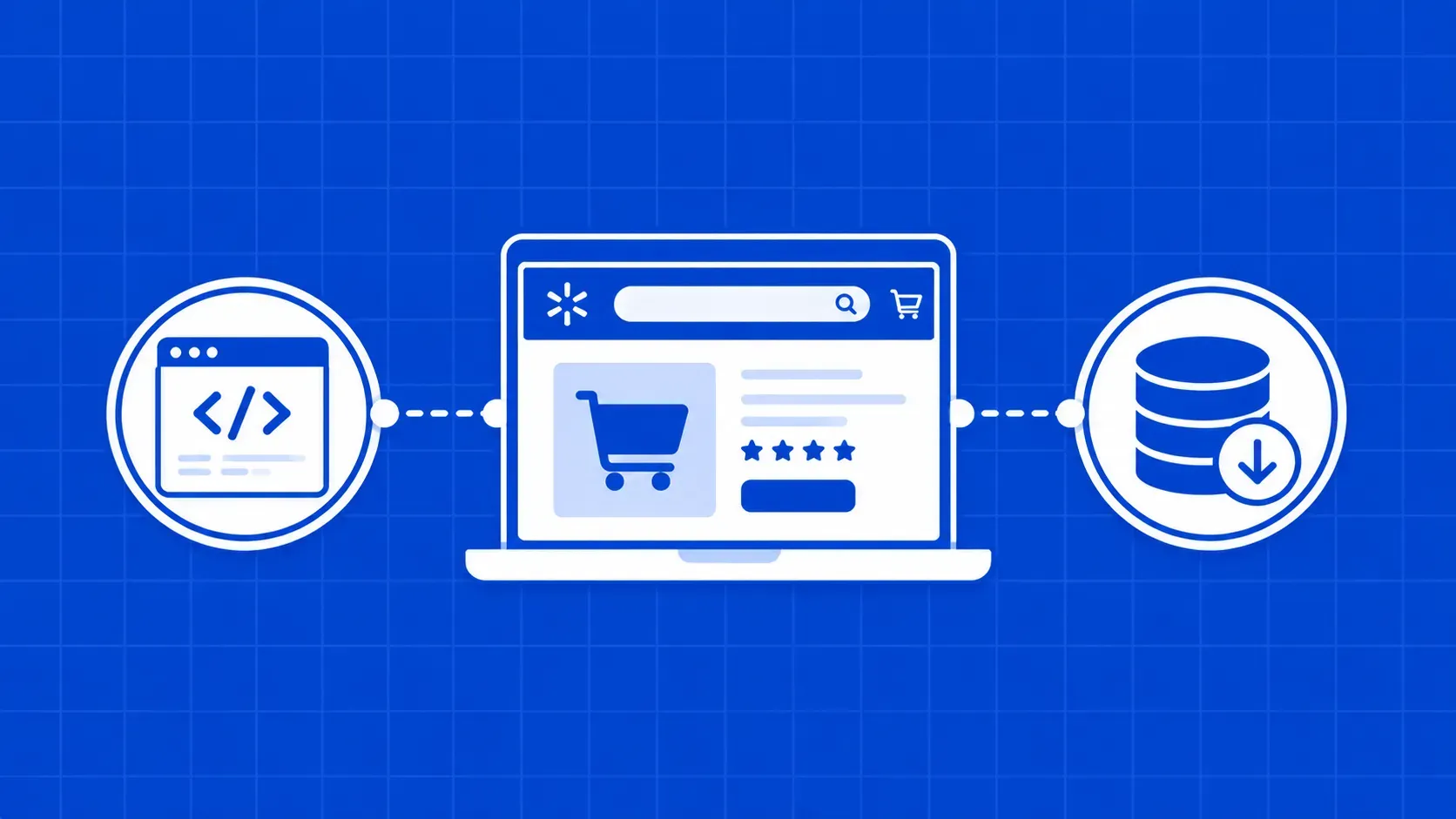
简而言之:本指南将详细介绍如何使用 Python 端到端地抓取沃尔玛的产品数据,内容涵盖解析隐藏的 __NEXT_DATA__ JSON,到利用代理、重试和异步抓取实现规模化。同时,本文还将客观分析何时使用托管式抓取API比自行开发更优。引言:2026年大规模抓取沃尔玛数据
沃尔玛这类商品目录,完全值得构建一套完整的定价或竞争情报管道。若仅需获取单个商品,10 行脚本即可搞定。 但若需每日刷新数千个 SKU,情况便急转直下:隐藏的 JSON 数据、分页限制、基于邮编的定价机制,以及远不止 User-Agent 这一维度的反机器人防护体系。本 2026 年教程将详解团队在生产环境中实际运行的沃尔玛产品数据抓取方案,包括在何种情况下应停止与反机器人防护层对抗,转而采用托管 API。
为何要抓取沃尔玛产品数据
在深入探讨如何通过代码抓取沃尔玛数据之前,先明确人们为何要这样做很有帮助。典型用例通常集中在几个关键任务上:跨经销商的定价情报与最低广告价(MAP)监控、产品目录与品类映射、补货提醒、评论情绪分析,以及竞争对手 SKU 覆盖情况。 沃尔玛的一方商品列表与第三方市场卖家共享相同的商品页面结构,这使得该数据集在实时了解整个品类的价格和配送情况方面具有独特价值。除了标题和价格外,商品页面还展示了评分、评论数量、变体矩阵、卖家信息以及按邮政编码划分的履约数据,这些字段正是构建定价模型的核心依据。
抓取沃尔玛数据是否合法?伦理与限制
首先声明:本文仅提供一般性指导,不构成法律建议。只要以不损害服务、慢速且尊重数据的方式收集,walmart.com上的公开产品数据通常被视为合法获取对象,但法律风险因司法管辖区和具体合同而异(沃尔玛的使用条款至关重要)。请阅读 walmart.com/robots.txt 并遵守其 Disallow 指令。请避开任何需要登录或包含个人数据的内容,包括评论者的电子邮件地址、订单号和支付详情。即使从技术上可以获取,GDPR 和 CCPA 也会限制您处理个人身份信息(PII)的方式。 安全的默认做法是:仅限于产品、价格、评论和库存字段,严格控制抓取频率,并在任何商业部署前咨询律师。(如需深入了解,我们关于网络爬虫是否合法的全面解析涵盖了相关判例法。)
工具与项目设置
您需要 Python 3.11 及以上版本以及一个干净的虚拟环境。最低配置:
python -m venv .venv && source .venv/bin/activate
pip install requests httpx beautifulsoup4 pandas logururequests(或httpx若需异步处理):HTTP 客户端beautifulsoup4:用于解析可见 DOM 的 HTML 解析器pandas:表格导出及pd.json_normalize嵌套 JSONloguru:结构化日志(支持长时间运行)
合理的文件夹结构:
walmart-scraper/
├── walmart/
│   ├── fetch.py        # request + retry layer
│   ├── parse.py        # __NEXT_DATA__ extractor
│   ├── discover.py     # sitemap + search crawler
│   └── scaler.py       # async runner
├── data/
└── main.py
沃尔玛如何提供产品数据:HTML 外壳 + NEXT_DATA JSON
NEXT_DATA JSON
Walmart.com 是一个 Next.js 应用程序。当您请求商品页面时,服务器会返回一个精简的 HTML 壳体,以及一个 <script id="__NEXT_DATA__"> 元素,该元素以 JSON 格式承载了页面完整的预渲染状态。随后,浏览器将该状态加载到您所看到的 React 树中;CSS 选择器仅能捕获加载后保留的内容,而在沃尔玛网站上,这仅是底层记录的一个子集。
这一点至关重要,因为大多数“我的沃尔玛爬虫失效了”的故障单,都源于仅依赖 CSS 的爬虫——它们追踪的类名会随着每次版本更新而变化。而 __NEXT_DATA__ 中的结构化 JSON 则稳定得多:它包含标准的产品对象,包括价格档位、变体、评分、卖家、配送选项以及基于邮编的库存情况。请将其作为主要解析目标,并将渲染后的 DOM 作为 JSON 中无法找到字段时的备用方案。
步骤 1:如何使用 Python 抓取沃尔玛商品页面
从小处着手。选择一个符合以下格式的规范 URL: https://www.walmart.com/ip/<slug>/<id> ,先通过单次 GET 请求掌握沃尔玛网页抓取方法,再考虑并发或代理。
import requests

URL = "https://www.walmart.com/ip/AT-T-iPhone-14-128GB-Midnight/1756765288"
HEADERS = {
    "User-Agent": (
        "Mozilla/5.0 (Macintosh; Intel Mac OS X 13_5) "
        "AppleWebKit/537.36 (KHTML, like Gecko) "
        "Chrome/124.0.0.0 Safari/537.36"
    ),
    "Accept-Language": "en-US,en;q=0.9",
}

resp = requests.get(URL, headers=HEADERS, timeout=20)
print(resp.status_code, len(resp.text))
这里有两种响应值得关注:返回商品 HTML 的 200 状态码,或带有“机器人还是人类?”弹窗的 200 状态码。该弹窗属于软阻塞(而非 4xx 状态码),因此请务必检查响应正文,而不仅仅是状态码。如果响应包含弹窗字符串,或返回内容异常短(仅几 KB),请将该请求视为失败并暂停请求。
发送符合实际的浏览器样式头部
一个极其简陋的 Python 请求会立即被标记。至少应发送当前版本的 Chrome 或 Firefox User-Agent,以及 Accept, Accept-Language, Sec-Ch-Ua,以及一个可信的 Referer (如谷歌搜索结果或沃尔玛相关分类页面)。建立一个小型用户代理字符串池,并按会话轮换使用,而非按请求轮换。此外需注意,沃尔玛会在检查头部信息之外,对 TLS 握手(JA3/JA4 指纹)进行检测,因此即使 requests 仍可能失败,因为底层 TLS 配置文件会暴露“Python”的特征。当这成为瓶颈时, curl_cffi 等工具可帮助模拟真实的浏览器指纹,当这成为瓶颈时。
步骤 2:使用 BeautifulSoup 解析核心字段
对于快速检查以及嵌入式 JSON 未公开的字段,BeautifulSoup 已足够。
from bs4 import BeautifulSoup

soup = BeautifulSoup(resp.text, "html.parser")

title = soup.find("h1", attrs={"itemprop": "name"})
price = soup.find("span", attrs={"itemprop": "price"})
images = [
    img.get("src")
    for img in soup.select("img[loading='lazy']")
    if img.get("src")
]

print(title.get_text(strip=True) if title else None)
print(price.get_text(strip=True) if price else None)
此方法适用于标题和显示价格,但稳定性较差。沃尔玛经常为实用类更换 itemprop 标记替换为实用类,且显示价格常与标准价格(订阅价、降价、门店特惠价)不一致。请将此步骤视为初步验证层。若想深入了解我们使用的 BeautifulSoup 查询模式,我们的专属 BeautifulSoup 教程是极佳的参考资料。将 __NEXT_DATA__ 接下来提取的 JSON 作为权威数据源。
从 NEXT_DATA 脚本标签中提取丰富的数据
NEXT_DATA 脚本标签中提取丰富的数据
任何认真研究如何抓取沃尔玛网页的人都应将此处作为 __NEXT_DATA__ 作为首要参考。完整的商品记录就封装在这个单一的脚本标签中。
import json

raw = soup.find("script", id="__NEXT_DATA__")
payload = json.loads(raw.string)

product = (
    payload["props"]["pageProps"]
    ["initialData"]["data"]["product"]
)

print(product["name"])
print(product["priceInfo"]["currentPrice"]["price"])
print(product["averageRating"], product["numberOfReviews"])
现在你已获得一个字典,其中包含名称、价格层级、品牌、型号、图片库、描述、平均评分、评论数量、卖家信息块以及一个履约节点。先用 pprint,然后将实际需要的键写入一个小型提取函数中。将索引访问封装在 try/except KeyError,因为沃尔玛会重构树结构(initialData.data.product 而非 initialData.data.contentLayout)而不会提前通知。
步骤 3:扩展到单个产品之外
一个 URL 可以让你学会解析器;但实际生产环境需要处理大量 URL。轻量级的模式是 httpx.AsyncClient 采用有限的 asyncio.Semaphore (建议从 5 到 10 个并发请求开始),请求间隔 1 到 3 秒,并采用按主机复用会话的方式以确保 Cookie 持久化。保持并发数保守:沃尔玛更青睐稳定缓慢的请求者而非突发式请求。将抓取和解析分配到不同的任务组,以免解析异常导致抓取循环终止。若需参考另一个大型商品目录的实现,该模式在我们的亚马逊爬取教程中亦有体现。
通过站点地图和搜索接口发现商品 URL
您可通过两种互补的方式发现 URL。首先, walmart.com/robots.txt 列出站点地图索引;其中分类站点地图最为密集,包含数百万个 /ip/ URL 按部门分组。拉取索引,获取每个子站点地图,并将 URL 加入队列。其次,站内搜索接口支持查询参数(如 q, page, sort以及大量筛选条件。HTML响应中包含带有商品列表的JSON有效载荷,因此请解析该JSON而非抓取渲染后的商品卡片。将两种方法结合使用:利用站点地图覆盖广度,利用搜索功能针对特定类别进行基于排名的覆盖。(如果您需要参考地图,我们的《沃尔玛终极指南》对站点地图拓扑结构有更深入的探讨。)
处理沃尔玛分页及 25 页上限
根据公开测试报告,无论实际匹配结果有多少,沃尔玛对单次搜索查询的结果页数上限约为 25 页。由于该上限多年来有所变动,请在采信具体数值前重新测试。解决方法是分段处理:将广泛查询按类别、品牌维度、价格区间和商品状态进行拆分,然后在单次查询上限内分别访问每个分段。反向排序(sort=price_high 加上 sort=price_low)和组合筛选维度,可将可覆盖范围大致翻倍至约50页或每查询2,000个产品(同样基于第三方测试)。请将数据探索规划为一棵由窄范围查询构成的树,而非平面的页码循环。
捕获评论、变体和履约数据
一旦能够解析 __NEXT_DATA__,高价值字段便触手可及。评论和综合评分位于 product.idmlInfo 和 product.reviews;若存在单条评论数组,则包含星级数量、标题、正文及已验证购买标记。变体位于 product.variantsMap ,以 SKU 为键,包含颜色和容量等属性。履约数据位于 product.fulfillmentOptions下,包含预计送达时间、门店自提资格以及 storeId 字段。价格和库存情况因邮编而异,因此请设置 assortmentStoreId 和 customer-zip cookie,以锁定本地化数据。
reviews = product.get("reviews", {}).get("customerReviews", [])
variants = product.get("variantsMap", {})
fulfillment = product.get("fulfillmentOptions", [])
使用 pandas 将结果导出为 CSV 或 JSON
一旦获得产品字典列表,pandas 将完成后续工作:
import pandas as pd

df = pd.json_normalize(records, sep="_")
df.to_csv("walmart_products.csv", index=False)
df.to_parquet("walmart_products.parquet", index=False)
json_normalize 将嵌套键展平为列,例如 priceInfo_currentPrice_price,这便于 SQL 处理。将评论和变体写入独立的表中,并以父产品 ID 作为外键,因为将一对多字段扁平化为单行几乎总会在后续引发问题。
绕过阻塞:代理、轮询、重试和退避
大多数将“如何抓取沃尔玛数据”视为常态化问题的团队,都会部署一个由四个动态组件构成的分层反封锁方案。
- 代理。住宅 IP 几乎无法与普通沃尔玛购物者区分;而数据中心 IP 在大规模访问时会被标记。服务商公布的成功率只是营销数据,因此在投入使用前,请先针对您自己的 URL 进行基准测试。
- 轮换频率。爬虫式探索采用按会话轮换,高流量监控则按请求轮换。至少在多步骤流程(搜索、商品、评论)期间保持会话粘性,以确保 Cookie 的一致性。
- 采用指数退避的重试机制。在
403或429(RFC 6585 中定义的 HTTP 状态码)时,等待2^n + jitter秒,最多尝试 5 次,之后将该 URL 移至待处理队列以供后续运行。 - 严格管理头部信息与 Cookie。在轮换用户代理池的同时轮换 IP 地址,并在
requests.Session(),使沃尔玛看到的是一个连贯的访问者。
proxies = {
    "http":  "http://USER:PASS@gate.example.com:7777",
    "https": "http://USER:PASS@gate.example.com:7777",
}
resp = requests.get(URL, headers=HEADERS, proxies=proxies, timeout=20)
一旦每日请求量超过几百页,使用支持粘性会话的托管代理池比自行轮换能节省更多时间。我们关于 Python 中代理轮换的深度指南详细介绍了那些经受住沃尔玛反机器人更新考验的具体轮换模式。
生产环境请使用沃尔玛爬虫 API
当每日爬取量达到数千页时,成本效益将发生逆转。您用于修补JA3指纹、刷新用户代理池以及追踪布局变更的工程工时成本,将超过使用托管端点的费用。像WebScrapingAPI这样的沃尔玛爬虫API,通过单一URL即可处理代理网络、头部堆栈、JavaScript渲染及验证码破解,且仅按成功响应计费。您只需保留 __NEXT_DATA__ 解析代码;只需替换请求层。若需登录流程或交互式爬取(点击不同尺码选项、展开评论页面),托管式浏览器 API 可将该模式扩展至远程 Chrome 环境,您可通过 Puppeteer 或 Playwright 进行脚本控制。
常见陷阱与故障排除
请保存每次解析失败的原始 HTML,并每周对比关键路径的差异,因为沃尔玛会悄然调整 JSON 键值。若价格显示异常,请检查 ZIP cookie。若评论数组返回为空,您很可能已被封禁,而非解析未完成。务必记录响应长度:一个 4 KB 的“机器人还是人类?”页面是系统发生变更的最早信号。
总结与后续步骤
现在,您已掌握了端到端抓取沃尔玛数据的完整蓝图。请选择您尚未实现的最小功能模块(站点地图发现、重试机制、JSON解析器等),并将其作为下一阶段的开发目标。
关键要点
- 将
__NEXT_DATA__JSON(而非渲染后的 DOM)作为沃尔玛产品和搜索页面上的主要解析目标。 - 发现机制结合了两个系统:
walmart.com/robots.txt网站地图用于覆盖产品目录的广度,搜索接口用于实现基于排名的覆盖。 - 沃尔玛报告的约25页搜索上限问题,通过按类别、筛选条件、价格区间和反向排序对查询进行分段来解决。
- 真正的防封方案应分层构建:住宅代理、轮换频率、针对 403/429 状态码的指数退避,以及保持一致的会话 Cookie。
- 一旦每日抓取量超过数千页,相较于自行维护反机器人机制,托管式抓取 API 通常在总成本上更具优势。
常见问题
抓取沃尔玛产品数据是否合法?
一般而言,公开的产品、价格和评论数据是允许的,但需注意以下事项。美国判例法(特别是 hiQ 诉 LinkedIn 案)表明,抓取公开的网络数据并不自动构成《计算机欺诈与滥用法案》(CFAA)的违反,但沃尔玛的使用条款、评论文本的版权,以及 GDPR 和 CCPA 等法律仍然适用。请避免抓取登录页面和个人数据,合理控制抓取频率,并在商业使用前咨询律师。
沃尔玛是否提供可供替代数据抓取的公开产品API?
沃尔玛运营着联盟 API 和市场卖家 API,但二者均非面向公众的通用产品数据 API。联盟 API 需经项目审批方可使用,且字段和速率均受限;市场 API 仅提供您在沃尔玛自营商品的数据。就广泛的商品目录、价格和评论覆盖而言,在本文撰写时,抓取仍是切实可行的选择。
为什么我的沃尔玛爬虫会遇到“机器人还是人类?”的验证码页面?
该页面是沃尔玛的反机器人验证机制,当检测到一项或多项疑似机器人特征时会被触发:例如数据中心IP、Python TLS指纹、缺少 Sec-Ch-Ua 、异常的请求频率,或未设置第一方Cookie。这属于软200状态码(而非403),因此请检查响应正文。解决方法需多管齐下:使用住宅IP、浏览器级TLS、完整的请求头堆栈,并控制请求频率。
我需要使用 Selenium 或 Playwright 来抓取沃尔玛数据吗?还是仅靠请求和 BeautifulSoup 就足够了?
对于大多数产品、搜索和评论页面,仅使用 requests 加上 BeautifulSoup 便已足够,因为数据存储在服务器渲染的 __NEXT_DATA__ JSON中。仅当需要点击交互式元素(尺寸选择器、延迟加载的评论页面)或反机器人验证需要真实JavaScript环境才能通过时,才使用Playwright或Puppeteer。
如何抓取数千个沃尔玛商品而不触发 25 页的搜索限制?
别再纠结页码,转而考虑分段策略。按类别、品牌、价格区间($0 to 25, $25 to 50等)、部门和商品状态进行拆分,确保每个独立查询都符合单次查询的限制。结合升序和降序排序来扩大每个分段的范围。将结果与类别站点地图交叉比对,以补充分段过程中遗漏的内容。
结论
只要尊重网站架构,2026年抓取沃尔玛数据是一个可解决的工程问题。解析嵌入的 __NEXT_DATA__ JSON,而非与不断变化的类名作斗争。通过站点地图和搜索接口共同发现URL,对查询进行分段以绕过页面限制,并使用住宅代理、粘性会话以及针对403和429状态码的指数退避策略来强化抓取层。通过 pd.json_normalize 进行导出,以满足下游分析层的需求,并保留原始HTML,以便在沃尔玛下次悄然变更后对比关键路径。
真正的转折点在于规模化。若你用于修补反机器人逻辑的工程工时成本已超过数据的实际价值,这就是你的信号。我们的 WebScrapingAPI 抓取 API 通过单一接口接管数据获取、代理和 CAPTCHA 层,让你保留刚构建的解析器,并仅为成功响应付费。无论选择哪种路径,你现在都已掌握了在本周部署可运行的沃尔玛数据管道的指南。