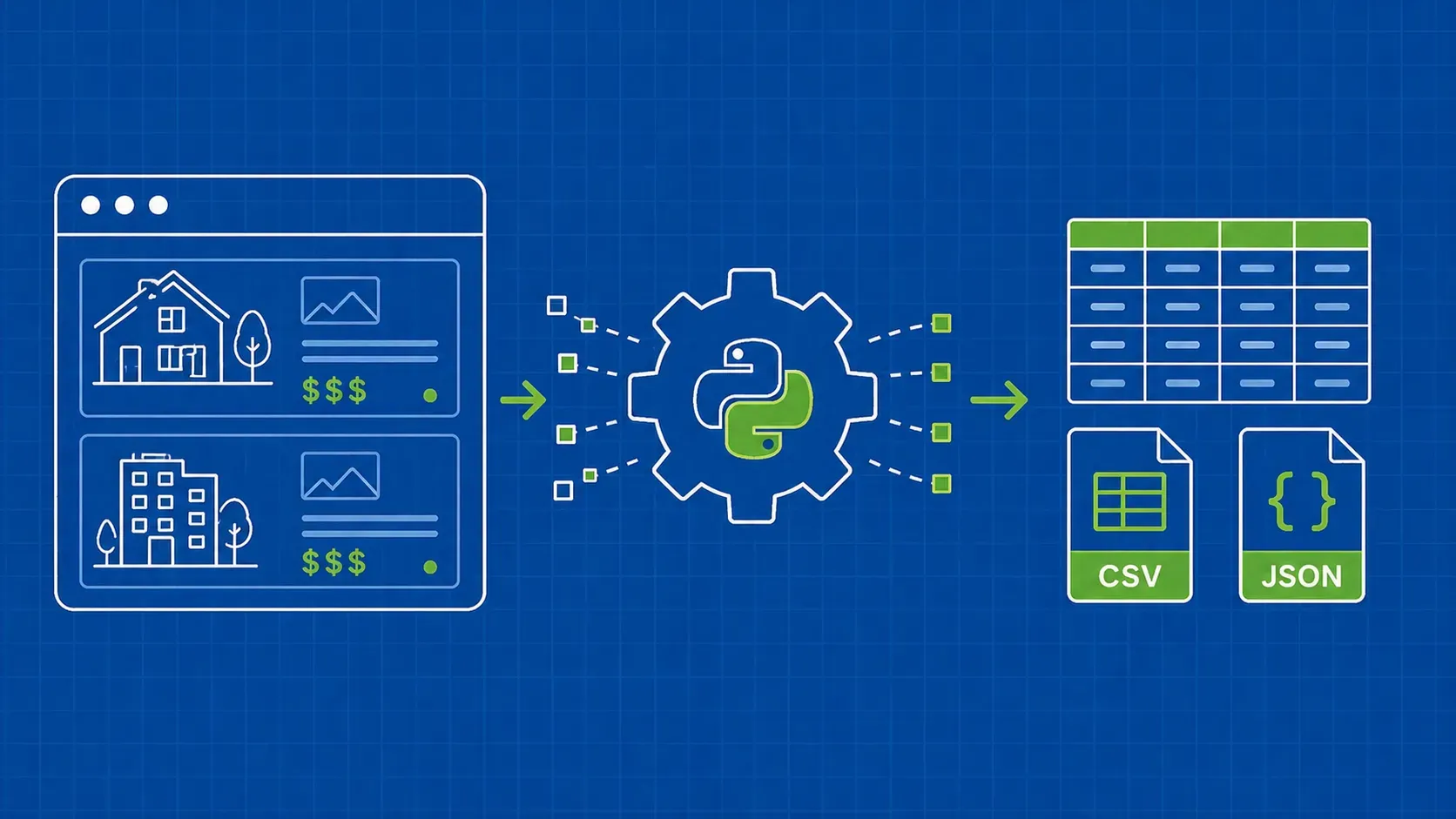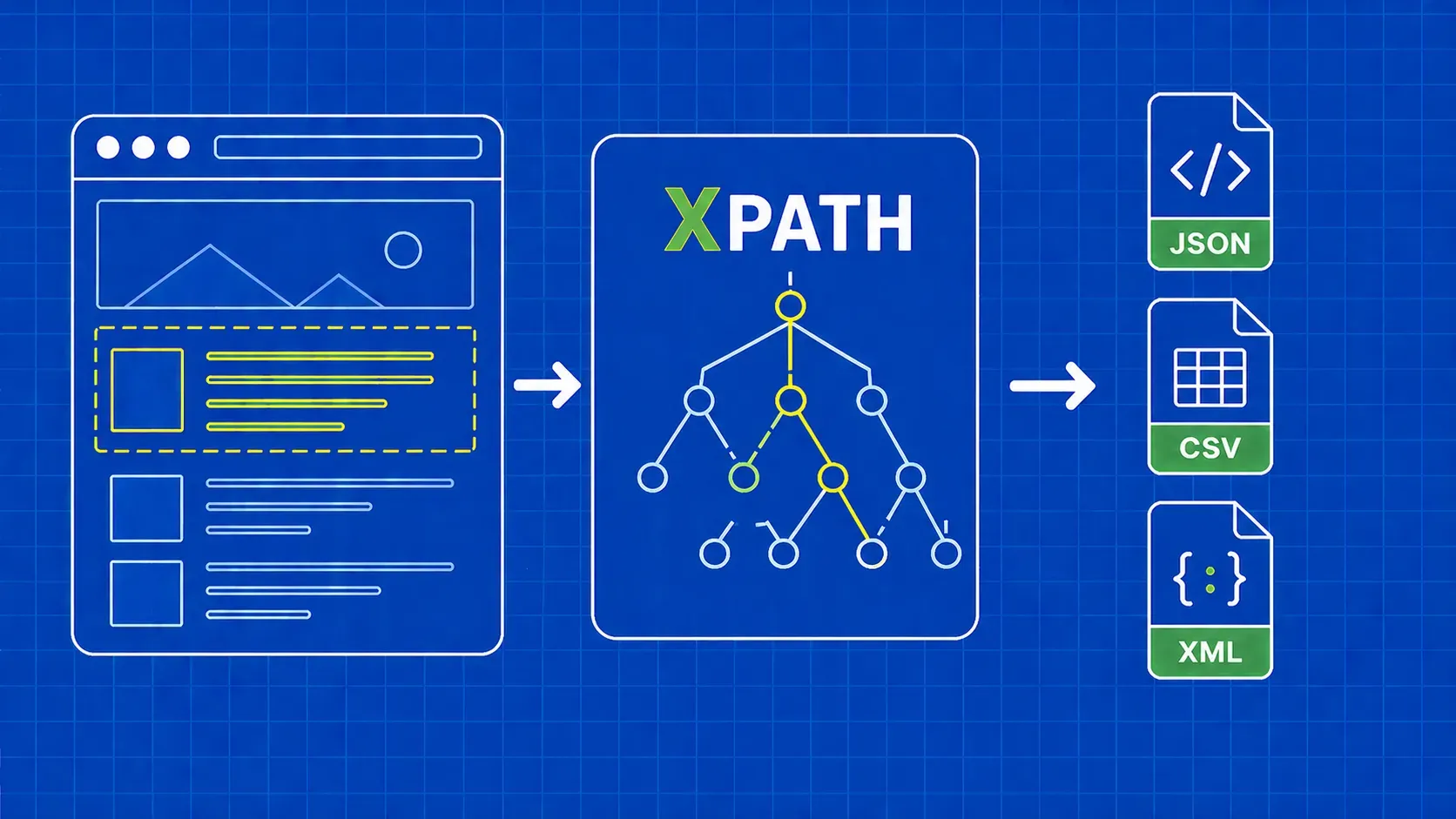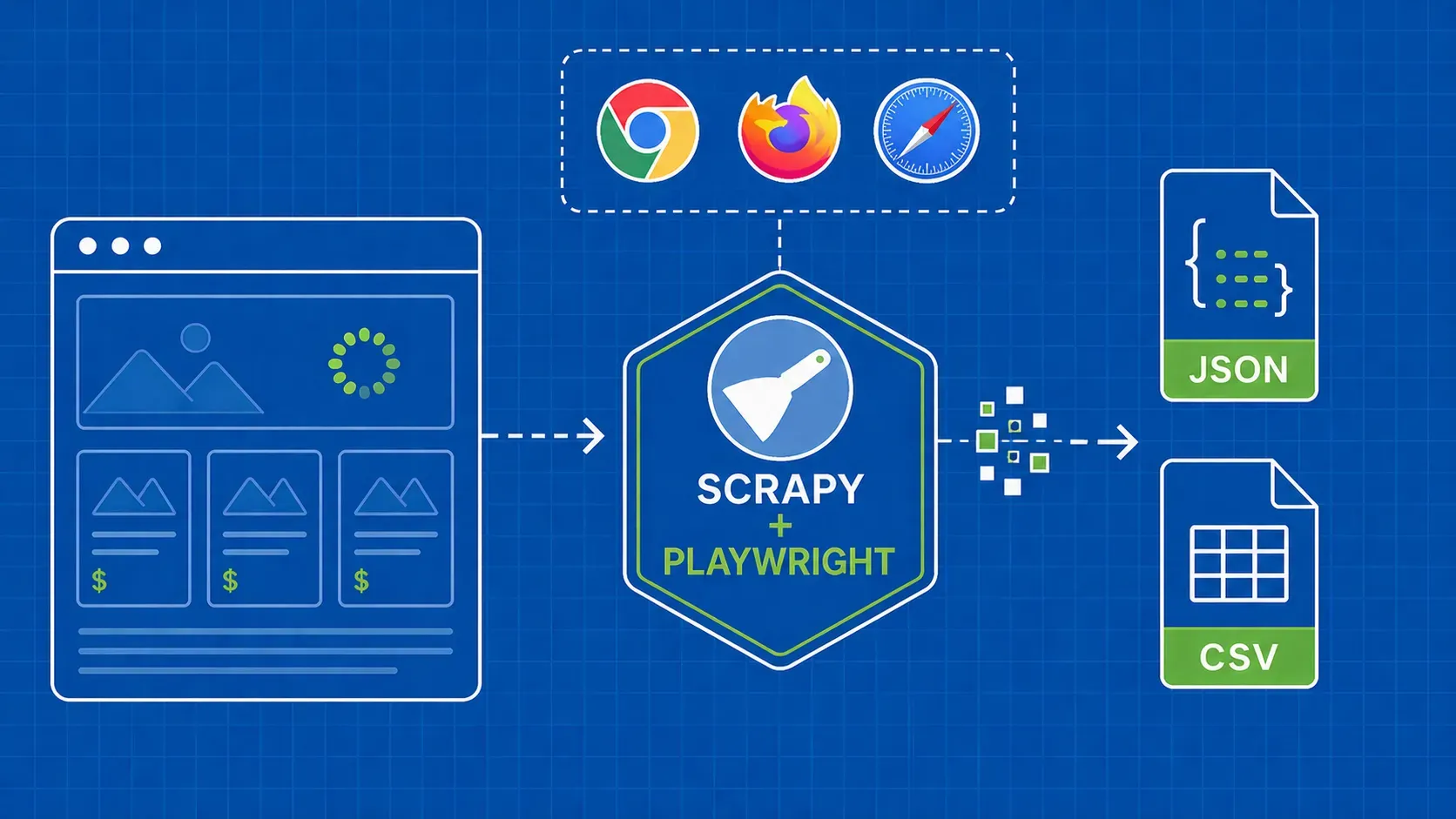
简而言之:要在 Python 中从 HTML 中提取文本,请使用真正的解析器(如 BeautifulSoup、lxml.html或html-text),去除脚本、样式和网站装饰元素,最后在保存前规范化空格和Unicode。本指南对比了主要库,解决了常见的清理陷阱,并最终提供了一个可运行的爬虫,该爬虫会生成JSONL以及每页的.txt文件。
简介
大多数希望使用 Python 从 HTML 中提取文本的团队,起初都从一行代码开始,但一旦遇到真正的网页就会碰壁,随后花上一整个下午才发现 get_text() 结果却欢天喜地地返回了 JavaScript、Cookie 提示框以及 47 个“订阅”字样。解决之道并非依赖另一款神奇库,而是一个清晰的工作流:解析、清理、提取、规范化、保存。
HTML是网页背后的源代码。它将你真正需要的实际内容(标题、段落、列表项)与结构标记、脚本、样式以及浏览器需要但你不需要的元数据混合在一起。提取的文本是该页面中去除标记后可见且可供人类阅读的部分。任何遍历DOM(解析器从原始HTML构建的节点树)的工具,只要你告诉它保留哪些节点,都能完成这项任务。
本指南面向希望获得可运行代码、合理默认设置和真实权衡的 Python 开发者、数据工程师和 NLP 从业者。我们将对比真正重要的库(BeautifulSoup、 lxml.html 以及 html-text、Parsel 和正则表达式)进行对比,构建可复用的数据清理与标准化辅助工具,并最终将这些组件整合成一个小型爬虫。过程中还将涵盖 JavaScript 渲染的页面、编码陷阱,以及症状与解决方案的故障排除表。
“Python 从 HTML 中提取文本”的真实含义
当你说想用 Python 从 HTML 中提取文本时,你的真实意思是:遍历已解析的文档,保留可见的文本节点,并丢弃其余所有内容。浏览器每次渲染页面时都会隐式地执行这一操作。作为开发者,我们必须将其显式化。
为便于理解下文,有必要先明确几个定义:
- HTML 是原始源代码:标签、属性、内联样式、脚本和元数据,以及夹在其中的实际内容。
- 标签是独立的标记,例如
<p>和</p>。元素由标签及其内部包含的内容构成。 - DOM(文档对象模型)是解析器根据该源代码构建的树结构。每个元素、属性和文本节点都成为树中的一个节点。
- 提取的文本是叶子级的人可读内容,包括标题、段落、列表项和标签,其中标记已被剥离。
文本提取的工作原理是遍历该 DOM,仅收集文本节点,同时跳过 <script> 和 <style>等元素。不同库实现这种遍历的方式各异,但其思维模型是相同的。如果你将“解析、清理、提取和规范化”视为四个独立的步骤,那么你可以在 BeautifulSoup、 lxml, html-text甚至非 Python 技术栈之间自如切换,无需重新学习。
提取文本的目的也很关键。搜索索引可以接受单一的扁平字符串;大型语言模型(LLM)的输入管道通常希望保留段落结构;而分析导出则可能需要将标题和正文文本分离。请尽早确定这一点,因为这会影响你应选择哪种库以及哪种提取策略。
选择库:BeautifulSoup、lxml、html-text、Parsel 还是正则表达式
在 Python 中从 HTML 提取文本没有唯一的“最佳”答案,但存在合理的默认选择和不恰当的选择。以下是主要选项在实际应用中的对比情况。
BeautifulSoup (bs4) 通常是入门首选。它对损坏的 HTML 容错性强,API 接口简洁(find, find_all, select, get_text),且对从未接触过XPath的读者十分友好。对于临时抓取、原型开发以及大多数不受解析速度限制的生产任务,它是理想的选择。用户常遇到的两个陷阱是忘记移除 <script> 和 <style> ,以及 get_text()之前忘记移除和,以及在可以安装 html.parser 后端,而本可以安装 lxml 并传入 'lxml'.
lxml.html 是快速、严格且基于 C 语言的选项。它在底层使用 libxml2,同时支持 CSS 选择器和 XPath,当您需要每分钟解析数千个页面或进行精确的 DOM 操作时,这就是您的首选。其取舍在于学习曲线稍陡,且对格式错误的标记的容忍度低于 BeautifulSoup。根据 lxml 文档,它可以通过其 html 模块解析损坏的 HTML,但在输入内容真正混乱时,BeautifulSoup 依然更胜一筹。
html-text 是一个构建在 lxml ,并生成具有合理空格处理的干净纯文本。当你主要希望“从这个数据块中提取可读文本”且仅需最少的后处理,同时不需要丰富的查询功能时,这是正确的选择。它本身无法可靠地隔离主要文章正文,因此与 <main> 或 <article> 选择器配合使用。
Parsel 是一个以选择器为核心的库,是 Scrapy 的动力来源。当你希望通过 CSS 或 XPath 获取结构化字段(如标题、价格、作者)时,它表现出色;但若只是想清理一大段文本,它并不适用。在撰写本文时,其公开发布频率相对较低,因此在将其用于新项目之前,请确认 PyPI 上的版本是否仍适合你的技术栈。
正则表达式并非解析器。请将其用于已提取字符串的清理(如非空分隔符、重复空格、智能引号),并需知晓:一旦遇到真正的标记结构,任何试图用 re 在面对真实标记时必然会失败。
对比表与决策规则
|
库 |
最适合 |
优点 |
缺点 |
典型调用 |
|---|---|---|---|---|
|
BeautifulSoup |
大多数抓取和解析任务 |
容错性强、API 简单易用、文档完善 |
处理海量数据时比 lxml 慢 |
|
|
|
海量数据、XPath、DOM操作 |
速度极快,严格,支持 XPath |
对损坏的 HTML 容错性较低 |
|
|
|
只需极少操作即可生成干净的纯文本 |
内置空格和可见性启发式算法 |
本身不支持内容选择 |
|
|
Parsel |
结构化字段提取 |
结合了 CSS 和 XPath,兼容 Scrapy |
发布节奏较为平稳,对于纯文本而言功能过剩 |
|
|
正则表达式 |
对已提取文本进行微量清理 |
内置功能,对短字符串处理迅速 |
遇到嵌套或不一致的 HTML 时会出错 |
|
快速决策指南:如果您是爬虫新手,建议从 BeautifulSoup 开始。如果您只需获取干净的文本且无需查询,请选择 html-text。若需解析数万个页面或使用XPath,请转用 lxml.html。若需处理表单字段多于纯文本,请使用Parsel。将正则表达式视为清洁工,切勿将其当作解析器。
每个示例均配有可复用的示例 HTML
以下所有示例均使用同一段混乱的代码片段,以便您能公平地比较各库。将其保存为 sample.html ,或将其赋值给一个字符串:
<!doctype html>
<html lang="en">
<head>
<meta charset="utf-8">
<title>How to brew filter coffee</title>
<style>.ad{color:red}</style>
<script>window.analytics={track:()=>{}}</script>
</head>
<body>
<header><nav>Home · Recipes · About</nav></header>
<aside class="ad">Buy our new grinder!</aside>
<main>
<article>
<h1>How to brew filter coffee</h1>
<p>Start with <strong>fresh beans</strong> ground medium-coarse.</p>
<ul>
<li>Use a 1:16 ratio.</li>
<li>Bloom for 30 seconds.</li>
</ul>
<p class="hidden">Secret affiliate link block.</p>
<div aria-hidden="true">Hidden cookie banner copy.</div>
</article>
</main>
<footer>© 2026 Coffee Co. Privacy. Terms.</footer>
</body>
</html>它包含四个经典问题:脚本标签和样式标签、布局装饰(<header>, <nav>, <footer>、一个广告 <aside>)、文本中的不换行空格,以及两个隐藏块(.hidden 和 [aria-hidden="true"])。如果某个库能干净利落地处理这些问题,那么它就能应对你在实际应用中遇到的绝大多数情况。
使用 BeautifulSoup 提取文本(分步指南)
BeautifulSoup之所以成为默认选择是有原因的:API 精简,出错模式清晰,而且仅需四个步骤就能处理几乎所有 Python 从 HTML 中提取文本的任务。
安装基础环境:
pip install beautifulsoup4 lxml requests我们将 lxml 作为解析器后端。 'lxml' 解析器通常被认为比标准库中的 html.parser,但具体性能差距取决于输入大小和文档结构;若性能至关重要,请使用您的实际数据进行基准测试。
步骤 1:使用真正的解析器进行解析。切勿对完整的 HTML 直接运行正则表达式。请先将标记传递给 BeautifulSoup。
import requests
from bs4 import BeautifulSoup

resp = requests.get("https://example.com/coffee", timeout=20.0)
resp.raise_for_status()
soup = BeautifulSoup(resp.text, "lxml")
步骤 2:过滤明显干扰项。对于文本提取而言,脚本和样式纯属干扰。务必优先移除它们,否则其内容会直接渗入你的输出结果。
for tag in soup(["script", "style", "noscript"]):
    tag.decompose()
请使用 decompose() 而非 extract() 或 unwrap() 。 extract() 会移除节点但仍保留引用; unwrap() 则会保留节点内容。若要清除冗余内容, decompose() 正是你所需要的。
步骤 3:提取文本。 get_text() 将剩余的 DOM 扁平化为单个字符串。两个关键参数是 separator 和 strip。若未指定分隔符,BeautifulSoup 会将相邻的内联元素合并,因此 <strong>fresh</strong>beans 将变为 freshbeans。传递一个空格(或换行符)可保持单词间距,而 strip=True 用于修剪每个节点的空格。
text = soup.get_text(separator=" ", strip=True)步骤 4:轻度清理。此时你得到的纯文本中仍包含零散的空格、不可分割空格,以及可能的多行空白。将规范化处理留给专门的辅助函数(参见后文的规范化部分),本步骤仅专注于内容提取。
对示例文本执行这四个步骤后,结果大致如下:
Home · Recipes · About Buy our new grinder! How to brew filter coffee Start with fresh beans ground medium-coarse. Use a 1:16 ratio. Bloom for 30 seconds. Secret affiliate link block. Hidden cookie banner copy. © 2026 Coffee Co. Privacy. Terms.脚本和样式已去除,但版式、广告和隐藏内容仍会渗入。这就是后续章节将解决的问题。
使用 lxml.html 和 html-text 提取干净文本
当你不需要 BeautifulSoup 的易用性,却追求速度时, lxml.html 加上 html-text 是绝佳的组合。 lxml 可提供解析后的树结构; html-text 能直接从中提取经过规范化的文本,无需编写自己的遍历器。
pip install lxml html-text一个最简 lxml.html版本的相同提取代码如下:
import lxml.html

tree = lxml.html.fromstring(html_source)
for tag in tree.xpath("//script | //style | //noscript"):
    tag.drop_tree()
text = tree.text_content()
text_content() 遍历 DOM 并拼接文本节点,但不会在块级元素之间添加分隔符。结果是标题、段落和列表项被粘连在一起。这正是 html-text 所填补的空白。
import html_text

text = html_text.extract_text(html_source)
在内部, html-text parses with lxml进行解析,针对隐藏内容应用一些启发式规则(它会分析常见模式,例如 display:none, aria-hidden以及常规类名等常见模式),并在块级元素视觉上应产生换行处插入空白。生成的结果比原始 text_content().
值得坦诚地指出其局限性。 html-text的可见性启发式规则基于模式,而非浏览器渲染结果。通过外部样式表中的CSS设置的内联样式、JavaScript应用的 hidden 属性,或 A/B 测试切换,对静态解析器而言都是不可见的。若需检测实际渲染后的可见性,则需使用无头浏览器,相关内容将在后文介绍。
html-text 此外,它也不会单独提取主文章内容。如果你提供的是完整页面,它会照常输出导航栏和页脚。将其与 <main> 或 <article> 选择器(tree.cssselect('main')[0]),即可仅输出 body 内容。这种组合——即使用 lxml 进行选择,配合 html-text 进行文本导出——是 Python 大规模从 HTML 中提取文本最简洁的方法之一。
何时(且仅在何时)使用正则表达式进行清理
每隔几个月就会有人发问:“为什么我不能直接 re.sub('<[^>]+>', '', html)?”的提问,而每隔几个月,答案总是如出一辙:因为 HTML 具有嵌套结构、格式混乱,且充斥着正则表达式无法建模的边界情况。经典的反例包括未闭合的标签、内部包含 > 、CDATA 块,以及引号内包含尖括号的属性。关于这个话题,Stack Overflow 上还有一篇著名的回答,读来令人莞尔。
正确的处理模式是:先用真正的解析器进行解析,再让正则表达式对生成的纯文本进行润色。当 BeautifulSoup 或 html-text 返回字符串后,正则表达式适用于以下任务:
import re
import unicodedata

text = unicodedata.normalize("NFKC", text)
text = text.replace("\u00a0", " ")          # NBSP -> space
text = re.sub(r"[\u2018\u2019]", "'", text) # smart single quotes
text = re.sub(r"[\u201c\u201d]", '"', text) # smart double quotes
text = re.sub(r"[ \t]+", " ", text)         # collapse runs of spaces
text = re.sub(r"\n{3,}", "\n\n", text)      # collapse blank-line runs
应避免的做法:使用正则表达式剥离标签、从原始 HTML 中提取属性值,以及按 < 和 > 进行拆分以“获取文本”。这些方法在手动编写的演示中可能有效,但在生产环境中会失败。如果你曾有此冲动,请先编写基于解析器的版本,仅在处理其生成的已扁平化字符串时才使用正则表达式。
清理真实场景中的 HTML:导航栏、页脚、广告、Cookie 提示栏、隐藏块
从 BeautifulSoup 演示中获得的输出仍然包含导航栏、一个广告块、一个隐藏的联盟营销段落、一个 aria-hidden Cookie 横幅以及页脚。这些内容对索引或分析毫无用处。在提取前清理这些内容,是使用 Python 从 HTML 中提取文本时能获得的最大质量提升。
处理流程如下:解析、移除脚本和样式、移除布局装饰、移除隐藏内容,然后调用 get_text().
from bs4 import BeautifulSoup

NOISE_TAGS = ["script", "style", "noscript", "template", "svg"]
CHROME_SELECTOR = (
    "header, footer, nav, aside, "
    ".cookie-banner, .cookie, .consent, .gdpr, "
    ".ad, .ads, .advert, .promo, .newsletter, "
    ".social-share, .related, .breadcrumbs"
)
HIDDEN_SELECTOR = (
    ".hidden, .visually-hidden, .sr-only, "
    "[aria-hidden='true'], [hidden], "
    "[style*='display:none'], [style*='visibility:hidden']"
)

def clean(soup):
    for tag in soup(NOISE_TAGS):
        tag.decompose()
    for tag in soup.select(CHROME_SELECTOR):
        tag.decompose()
    for tag in soup.select(HIDDEN_SELECTOR):
        tag.decompose()
return soup操作顺序至关重要。首先移除脚本和样式,因为它们通常位于你即将查询的元素内部,先移除它们能确保选择器的准确性。接着按标签名移除布局元素。类名选择器排在第三位,因为这是最脆弱的部分:每个网站对元素的命名方式各不相同,你需要针对每个来源调整这组选择器。
为什么 decompose() 而非 extract()? decompose() 会从树中删除该节点及其所有子节点,并释放其引用。 extract() 仅移除节点但返回该节点,这在需要将节点移动到其他位置时有用,而非用于清除冗余内容。进行清理时,请始终使用 decompose().
在运行 clean(soup) 在我们的示例上运行,然后调用 soup.get_text(separator="\n", strip=True)后,你会得到接近读者实际所见的内容:
How to brew filter coffee
Start with fresh beans ground medium-coarse.
Use a 1:16 ratio.
Bloom for 30 seconds.
这就是目标:保留人类关心的标题和段落,同时剔除所有冗余内容。请将上文提到的 Chrome 元素和隐藏选择器视为入门工具包,而非最终清单;每个你抓取的领域都会新增一两个需要剔除的类。
利用选择器和可读性启发式方法隔离主要内容
去除冗余元素虽行之有效,但当标记结构良好时,更简洁的做法是直接提取主要内容。现代 HTML 提供了三个有效的切入点:
main = (
    soup.select_one("main")
    or soup.select_one("article")
    or soup.select_one("[role='main']")
)
if main is None:
    main = soup.body or soup
text = main.get_text(separator="\n", strip=True)
该回退梯度, <main>, <article>, role="main",接着是 <body>,足以覆盖绝大多数内容网站。若再结合前文提到的界面元素和隐藏元素选择器清理生成的子树,通常无需为每个网站编写自定义规则,即可获得纯文本主体内容。
当标记结构较差时(例如缺乏语义标签的旧版 CMS 模板),可选用 readability-lxml 或 trafilatura。二者均采用文本密度启发式算法:通过文本与标记的比例及链接密度对每个区块进行评分,并将得分最高的区域作为主文章内容。两者均非完美无缺;它们偶尔会抓取评论区或遗漏侧边栏提示。请将其视为结构化选择器失效时的备选方案,而非默认方案。
文本规范化:空格、NBSP、换行符和 Unicode
来自 get_text() 的原始输出很少是“干净”的。你会看到在预期应有真实空格的位置出现不可分隔空格(\u00a0) 代替预期的真实空格, \r\n 在 Windows 编辑的页面上会遇到换行符,来自宽松的 CMS 模板的三四行空白行,以及偶尔出现的半角片假名或连字(由 Unicode 引起)。一个小型专用规范化程序能一次性解决所有这些问题,并为你节省后续的调试时间。
import re
import unicodedata

def normalize_text(text: str) -> str:
    # 1. Unicode-canonical form
    text = unicodedata.normalize("NFKC", text)
    # 2. NBSP and other exotic spaces -> regular space
    text = text.replace("\u00a0", " ").replace("\u200b", "")
    # 3. Normalize line endings
    text = text.replace("\r\n", "\n").replace("\r", "\n")
    # 4. Strip per-line whitespace
    lines = [line.strip() for line in text.split("\n")]
    # 5. Collapse internal runs of spaces and tabs
    lines = [re.sub(r"[ \t]+", " ", line) for line in lines]
    # 6. Collapse runs of blank lines down to one blank line
    out, blank_run = [], 0
    for line in lines:
        if line == "":
            blank_run += 1
            if blank_run <= 1:
                out.append(line)
        else:
            blank_run = 0
            out.append(line)
    return "\n".join(out).strip()
关于每个步骤能带来什么,有几点说明。 unicodedata.normalize("NFKC", ...) 将兼容性字符折叠为其规范等价形式,因此全角 A 将变为常规 A ,而连字如 fi 将变为 fi。Python 中的 unicodedata 模块文档详细介绍了每种形式的具体作用。
尽早去除 NBSP 很重要,因为 re.sub(r"\s+", ...) 确实匹配 \u00a0 ,但下游的词法分析器和搜索索引器通常不支持。规范化行尾符可防止单个 \r 导致 JSONL 文件损坏。合并连续空行可在保留段落分隔的同时,避免生成大量空行。
请在处理管道的末尾运行此辅助程序一次(切勿在每个标签的循环内部运行),这样您将获得下游工具能够实际处理的文本。
结构感知提取:将段落、标题和列表作为块处理
对于搜索和粗略分析,单个扁平字符串尚可,但它并不适合检索增强生成(RAG)分块、摘要生成以及任何关注层次结构的任务。如果您的下游消费者需要区分标题与正文文本,请输出类型化的块,而不是一个巨大的字符串。
BLOCK_TAGS = {"h1", "h2", "h3", "h4", "h5", "h6", "p", "li", "blockquote", "td", "pre"}

def extract_blocks(soup):
    blocks = []
    for el in soup.find_all(list(BLOCK_TAGS)):
        text = el.get_text(separator=" ", strip=True)
        if not text:
            continue
        kind = "heading" if el.name.startswith("h") else "body"
        blocks.append({
            "kind": kind,
            "tag": el.name,
            "text": text,
        })
    return blocks
在我们的示例文章中,这会生成类似以下内容:
[
  {"kind": "heading", "tag": "h1", "text": "How to brew filter coffee"},
  {"kind": "body",    "tag": "p",  "text": "Start with fresh beans ground medium-coarse."},
  {"kind": "body",    "tag": "li", "text": "Use a 1:16 ratio."},
  {"kind": "body",    "tag": "li", "text": "Bloom for 30 seconds."},
]为什么要这么做?有三个原因。首先,大型语言模型(LLM)的分块器可以保留标题及其后续段落,而不是将它们切分开来。其次,分析查询可以分别统计标题和正文,这对内容审核至关重要。第三,你可以将标题合并为大纲(# How to brew filter coffee),并将正文保留在下方,从而免费获得类似 Markdown 的输出格式。
若需保留顺序和嵌套关系(将标题及其子段落视为一个章节),请使用 soup.descendants 并每次遇到标题标签时对块进行分组。这种结构在提取时成本低廉,但后期重建成本高昂,因此应在提取阶段一次性捕获。
端到端微型项目:爬取、提取、规范化与保存
现在是时候将这些功能整合起来了。下面的脚本会爬取网站的一个分页部分,提取每页的纯文本内容,对其进行标准化处理,并为每页生成一个 JSONL 记录以及一个 .txt 文件。它使用单个 requests.Session,追踪 Next 分页链接,并在可配置的 max_pages.
import json
import re
import time
import unicodedata
from pathlib import Path
from urllib.parse import urljoin

import requests
from bs4 import BeautifulSoup

HEADERS = {
    "User-Agent": "text-extractor/1.0 (+contact@example.com)",
    "Accept": "text/html,application/xhtml+xml",
}
NOISE_TAGS = ["script", "style", "noscript", "template", "svg"]
CHROME = "header, footer, nav, aside, .cookie-banner, .ad, .related, .newsletter"
HIDDEN = ".hidden, [aria-hidden='true'], [hidden]"

def fetch_soup(session, url):
    resp = session.get(url, headers=HEADERS, timeout=20.0)
    resp.raise_for_status()
    if resp.encoding is None or resp.encoding.lower() == "iso-8859-1":
        resp.encoding = resp.apparent_encoding
    return BeautifulSoup(resp.text, "lxml")

def clean(soup):
    for tag in soup(NOISE_TAGS):
        tag.decompose()
    for tag in soup.select(CHROME):
        tag.decompose()
    for tag in soup.select(HIDDEN):
        tag.decompose()
    return soup

def main_subtree(soup):
    return (
        soup.select_one("main")
        or soup.select_one("article")
        or soup.select_one("[role='main']")
        or soup.body
        or soup
    )

def normalize_text(text: str) -> str:
    text = unicodedata.normalize("NFKC", text)
    text = text.replace("\u00a0", " ").replace("\u200b", "")
    text = text.replace("\r\n", "\n").replace("\r", "\n")
    text = "\n".join(line.strip() for line in text.split("\n"))
    text = re.sub(r"[ \t]+", " ", text)
    text = re.sub(r"\n{3,}", "\n\n", text)
    return text.strip()

def extract(soup):
    cleaned = clean(soup)
    body = main_subtree(cleaned)
    title = soup.title.get_text(strip=True) if soup.title else ""
    raw = body.get_text(separator="\n", strip=True)
    return title, normalize_text(raw)

def crawl(start_url: str, out_dir: Path, max_pages: int = 25):
    out_dir.mkdir(parents=True, exist_ok=True)
    jsonl_path = out_dir / "pages.jsonl"
    session = requests.Session()
    url, count = start_url, 0
    with jsonl_path.open("w", encoding="utf-8") as out:
        while url and count < max_pages:
            try:
                soup = fetch_soup(session, url)
            except requests.RequestException as exc:
                print(f"[skip] {url}: {exc}")
                break
            title, text = extract(soup)
            record = {"url": url, "title": title, "text": text}
            out.write(json.dumps(record, ensure_ascii=False) + "\n")
            (out_dir / f"page-{count:03d}.txt").write_text(text, encoding="utf-8")
            next_link = soup.select_one("ul.pager li.next a")
            url = urljoin(url, next_link["href"]) if next_link else None
            count += 1
            time.sleep(1.0)  # be polite
    return count

if __name__ == "__main__":
    pages = crawl(
        start_url="https://example.com/blog/",
        out_dir=Path("out"),
        max_pages=10,
    )
    print(f"Saved {pages} pages")
各模块都刻意设计得非常精简。当遇到 JavaScript 渲染的页面时,可将 fetch_soup 为 Playwright 抓取器。将分页选择器替换为目标网站实际使用的样式。若需可查询的存储,可将 JSONL 写入器替换为 SQLite 插入语句。但“模式、解析、清理、提取、规范化、保存”这一流程始终保持不变。
有两个细节值得注意。 fetch_soup() 辅助函数会设置 20 秒的请求超时,并在 apparent_encoding 当服务器返回默认 iso-8859-1。这两项功能现在添加成本很低,但日后补救却很痛苦。 time.sleep(1.0) 页面之间的延迟是最低限度的礼貌行为;若进行大规模爬取,请参阅下文的扩展性章节。
输出格式:JSONL 与 CSV 与纯文本与数据库
请根据数据消费者的需求来选择存储格式,而非仅依据您最初设定的格式。
- JSONL(每行一个 JSON 对象)是抓取管道的默认格式。它支持流式处理、仅追加、易于检查
head -n 1 pages.jsonl | jq .,且能适应不断变化的 记录结构。当记录包含多个字段或嵌套结构时,请使用此格式。 - 当下游消费者是电子表格、pandas 或 BI 工具时,CSV 是合适的选择。请坚持使用具有可预测列的扁平模式,并使用
csv.DictWriter,这样就无需手动添加引号。 - 纯文本(
.txt每页)是自然语言处理、搜索索引和大型语言模型(LLM)数据摄取的理想选择。每份文档一个文件既便于 Git 管理,又允许您并行处理页面,无需任何记录分页处理。 - 若需进行即席查询(如“有多少页面提到了 espresso?”)或与其他表进行连接,SQLite 或 DuckDB 是正确选择。二者均以单文件数据库形式提供,无需任何 配置。
实际上,上述处理流程会同时生成 JSONL 格式和每页 .txt 。JSONL 作为元数据索引; .txt 文件则是您提供给下一阶段的输入。
编码、字符集和标记错误的陷阱
编码错误是 Python 从 HTML 中提取文本的管道输出垃圾数据的第二大常见原因。典型的症状是 é 本应出现 é,替换字符(�) 出现在段落中间,或是令人头疼的 UnicodeDecodeError 出现在 resp.text.
根本原因几乎总是 requests 默认设置为 iso-8859-1 ,因为响应的 Content-Type 。 requests 文档中明确指出:当未指定编码时, iso-8859-1 将默认采用。请覆盖此设置:
resp = session.get(url, timeout=20.0)
if resp.encoding is None or resp.encoding.lower() == "iso-8859-1":
    resp.encoding = resp.apparent_encoding  # chardet-style sniff
html = resp.text
对于原始字节流,请显式解码并传递 errors="replace" 以使管道在遇到错误输入时仍能继续运行:
html = resp.content.decode("utf-8", errors="replace")此外还有标记本身的问题。 lxml 是严格的;它会无声地跳过或重新平衡严重格式错误的输入部分。BeautifulSoup 采用默认 html.parser 则更宽容但速度较慢。如果您的数据包含干净和脏 HTML 的混合,请尝试 BeautifulSoup(html, "html5lib"),这是最宽容的后端,采用与浏览器相同的解析算法。其代价是速度: html5lib 比 lxml 在处理大型文档时明显更慢,因此请将其保留给格式错误的少数情况。
处理由 JavaScript 渲染的页面
迟早你会获取一个页面,转储 resp.text,并发现本应显示内容的 <div id="root"> 。该网站使用 React、Vue 或类似技术在客户端渲染内容,而 requests 且不运行 JavaScript。无论多么巧妙的提取都无法解决这个问题。
有三种切实可行的方案:
- 寻找预渲染页面或 API 接口。许多单页应用(SPA)会在浏览器加载时通过 JSON API 加载数据。打开开发者工具,观察“网络”标签页,你通常会发现一个结构化的接口,它能直接返回你所需的内容,完全无需解析 HTML。
- 运行无头浏览器。
Playwright,Pyppeteer,Selenium这些工具均会启动真实的 浏览器引擎(Chromium、Firefox、WebKit)来执行 JavaScript。其代价在于 复杂性和资源消耗:每加载一页都会占用真实浏览器中的一个标签页,这比requests调用 - 使用返回已渲染 HTML 的抓取 API。那些为你处理无头渲染的服务接受一个 URL,并将最终的 DOM 作为字符串返回,该字符串可直接嵌入到上文的 BeautifulSoup 处理流程中。虽然你放弃了对浏览器设置的部分控制权,但换来了更简单的基础架构和稳定的吞吐量。
一个最简的 Playwright 抓取器如下所示:
from playwright.sync_api import sync_playwright

def fetch_rendered(url: str) -> str:
    with sync_playwright() as p:
        browser = p.chromium.launch(headless=True)
        page = browser.new_page()
        page.goto(url, wait_until="networkidle", timeout=30_000)
        html = page.content()
        browser.close()
    return html
将其插入 fetch_soup 迷你项目的相应步骤中(解析返回的 html 内容),管道的其余部分保持不变。解析、清理、提取、规范化的循环并不关心 HTML 的来源。
扩展性、反机器人和可靠性:当抓取成为真正的瓶颈时
一旦你的数据提取在少量页面上运行正常,瓶颈就会从解析转移到抓取。网站会对你进行速率限制,数据中心的 IP 会被封禁,验证码会弹出,而且昨天还能正常工作的选择器今天却什么也抓不到,因为页面正在对你的客户端进行指纹识别。
针对抓取层的实用可靠性检查清单:
- 遵守
robots.txt并遵守网站的服务条款。urllib.robotparser会为你代读。 - 设置合理的超时时间(连接+读取为 15-30 秒),以免卡住的连接阻碍整个运行。
- 遇到 429、502、503 和 504 状态码时,采用指数退避策略重试。
tenacity或者urllib3.util.Retry通过几行配置来处理此问题。 - 使用合理的标头。一个
User-Agent用于标识您的机器人,外加一个Accept以及Accept-Language,可规避最简单的检测规则。 - 按主机限流。单个
requests.Session且time.sleep的请求间隔是最低要求;并发爬取需要按主机设置令牌桶。 - 当处理大规模请求时请轮换 IP。住宅代理看起来像普通用户流量;而在许多大型网站上,数据中心 IP 默认会被标记。
如果您不希望将工程时间耗费在内部管理这些事务上,托管式抓取 API 可在单一端点后处理代理轮换、验证码破解和重试逻辑,而您只需保持 BeautifulSoup 或 lxml 解析代码保持不变。这就是 WebScrapingAPI 构建的核心模式:您发送 URL,获取渲染后的 HTML(或结构化 JSON),而您的数据提取管道仍基于 Python。
无论选择哪种方案,都要明确分离职责。将抓取器放在一个模块中,提取器放在另一个模块中。这样,您就可以在不修改解析代码的情况下,将 requests Playwright 与托管 API 之间进行切换,而无需修改解析代码。
跨语言参考:Ruby、JavaScript 和 C# 提取方案一网打尽
语言在变,库在变,但数据提取的思维模式始终如一。相同的“解析、清理、提取、规范化”循环在不同技术栈间通用。以下是在其他三个生态系统中与 BeautifulSoup 教程等效的实现,这对在多语言团队工作或正决定采用哪种标准语言的开发者都很有帮助。
Ruby 搭配 Nokogiri。Nokogiri 是 Ruby 领域的标准 HTML 解析器,在 Ruby 中的作用与 BeautifulSoup 或 lxml 在 Python 中的作用。
require "nokogiri"
require "open-uri"

doc = Nokogiri::HTML(URI.open("https://example.com/coffee"))
doc.search("script, style, header, footer, nav, aside").each(&:remove)
text = doc.text.gsub(/\s+/, " ").strip
puts text
JavaScript 搭配 cheerio。Cheerio 在高速 HTML 解析器之上实现了 jQuery 风格的 API。 jsdom 是更“重量级”的替代方案,适用于同时需要 DOM API 和支持 CSS 的渲染场景。
import * as cheerio from "cheerio";

const html = await (await fetch("https://example.com/coffee")).text();
const $ = cheerio.load(html);
$("script, style, header, footer, nav, aside").remove();
const text = $("main, article, body").first().text().replace(/\s+/g, " ").trim();
console.log(text);
C# 搭配 HtmlAgilityPack。模式相同,但 API 更冗长。
using HtmlAgilityPack;

var web = new HtmlWeb();
var doc = web.Load("https://example.com/coffee");
var junk = doc.DocumentNode.SelectNodes("//script|//style|//header|//footer|//nav|//aside");
if (junk != null) foreach (var n in junk) n.Remove();
var text = System.Text.RegularExpressions.Regex.Replace(
    doc.DocumentNode.InnerText, @"\s+", " ").Trim();
Console.WriteLine(text);
这些代码片段都遵循与 Python 版本相同的四个步骤:解析、过滤明显噪音(脚本、样式、界面元素)、从剩余树中提取文本,以及压缩空格。如果你能将这个循环内化,那么切换语言就只是语法练习,而非重新思考。
混乱提取结果的故障排除清单
当你在实际环境中使用 Python 从 HTML 中提取文本时,输出结果很少能在首次运行时完美无缺。下表将你实际遇到的症状与切实有效的解决方案进行了对应。
|
输出中的症状 |
可能原因 |
解决方案 |
|---|---|---|
|
文本中包含 JavaScript 或 CSS 源代码 |
|
|
|
单词粘连( |
缺失 |
|
|
奇怪的空格或 |
NBSP 及编码不匹配 |
|
|
页面显示为空白,无正文内容 |
JavaScript 渲染的单页应用 |
使用 Playwright、预渲染端点或抓取 API |
|
导航栏、页脚或广告出现在输出中 |
未移除网站界面元素 |
|
|
整页内容以文本形式呈现,未对文章进行隔离 |
从 |
|
|
乱码( |
|
|
|
段落之间有三行空白 |
CMS模板,未标准化 |
`re.sub(r' {3,}', ' ', text)` |
|
|
编码错误或数据流被截断 |
|
从上到下排查:先排除脚本和样式,然后是 Chrome,最后是编码。绝大多数“我的提取功能失效”的错误都出在前四行之一。
关键要点
- 从 HTML 中提取文本的可靠方法是一个四步循环:使用真正的解析器进行解析,清除明显的噪音和页面冗余元素,从剩余内容中提取文本,并规范化空格和 Unicode。
- 几乎所有情况都应从 BeautifulSoup 开始。切换到
lxml.htmlPlushtml-text。处理结构化字段时使用 Parsel,但不要将其用于纯文本清理。 - 切勿对完整的 HTML 直接运行正则表达式。应先进行解析,再使用正则表达式对生成的纯文本字符串进行润色(处理 NBSP、智能引号、压缩空格等)。
- 使用
<main>,<article>或[role="main"]在提取前进行隔离。仅当标记中没有语义锚点时,才回退到 readability 风格的启发式方法。 requests无法运行 JavaScript。对于客户端渲染的页面,请将抓取器切换为无头浏览器或渲染 API;解析代码保持不变。- 将元数据保存为 JSONL,并将每页正文保存为
.txt。这种组合可为您提供可流式处理的索引以及适合管道处理的文本,同时无需过早将数据写入数据库。
相关 WebScrapingAPI 资源
常见问题
在文本提取方面,BeautifulSoup、lxml、html-text 和 Parsel 之间有何区别?
BeautifulSoup 容错性强且适合初学者; lxml.html 速度快且严格,并完全支持 XPath; html-text 基于 lxml 生成带有合理空格的干净可读文本;Parsel 专注于选择器,用于提取价格或作者等结构化字段。这是同一问题的不同解决方案:除非其他工具具备您特别需要的功能,否则请选择 BeautifulSoup。
如何仅提取正文内容,并跳过导航栏、广告和页脚?
首先选定主子树:尝试 soup.select_one("main"),接着 "article",接着 "[role='main']",最后退而求其次使用 soup.body。在该子树内,通过 CSS 选择器移除广告、相关文章块、分享小工具以及任何隐藏元素。当标记中没有语义钩子时,可使用 readability-lxml 或 trafilatura 根据文本密度对块进行评分,并返回最佳候选项。
为什么我提取的文本中包含 JavaScript 或 CSS 代码,以及如何防止这种情况?
这意味着您在 get_text() 在移除 <script> 和 <style> 标签。解析器会将其内容视为普通文本节点。请遍历这些标签,并在提取前对每个标签调用 .decompose() 。在提取前,对每个标签添加 <noscript> 和 <template> 添加到同一列表中;这两者都可能将标记或备用文本泄露到你的输出中。
如何从 JavaScript 渲染的页面中提取文本,其中 `requests` 返回的 HTML 主体为空?
要么调用页面底层使用的 API(检查开发者工具的“网络”标签页),要么使用 Playwright、Selenium 或 Pyppeteer 等无头浏览器渲染页面。一旦获得渲染后的 HTML 字符串,后续的提取流程与常规情况完全相同。若不想自行运行浏览器,使用托管渲染 API 也能达到相同效果。
在 Python 中提取 HTML 文本时应该使用正则表达式吗?
不应将其作为解析器使用。正则表达式无法可靠地处理嵌套标签、未闭合的元素、带尖括号的注释或 CDATA。请先使用真正的 HTML 解析器将文档扁平化,然后对生成的纯文本字符串应用正则表达式,用于处理诸如压缩空格、规范引号字符或替换不换行空格等小型任务。
结论与后续步骤
Python 从 HTML 中提取文本之所以感觉比实际更难,是因为大多数教程止步于 soup.get_text()。真正的流程包含四个步骤:解析、清理、提取、规范化,以及将它们接入管道后的第五步(保存)。只要掌握了这个循环,库的选择就变得无关紧要了:对于大多数任务,BeautifulSoup lxml.html 此外 html-text 当你需要速度和更干净的默认设置时;若需结构化字段,则选用 Parsel;当 JavaScript 造成阻碍时,则使用无头浏览器。
在此基础上,自然的下一步是进行大规模爬取(分页、礼貌限流、去重),熟悉选择器和 XPath,并决定何时引入 Parsel 这样的结构感知解析器或可读性启发式算法。每一步都是一个独立的深坑,但它们都建立在相同的提取循环之上。
如果请求层是拖慢你速度的瓶颈(阻塞、验证码、JS渲染),不妨尝试将 WebScrapingAPI 作为即插即用的请求器:发送一个 URL,获取渲染后的 HTML,然后让你的 Python 提取代码完成后续工作。先从 BeautifulSoup 开始简单入门,当它无法继续扩展时进行性能分析,只有到那时才去使用更复杂的工具。